

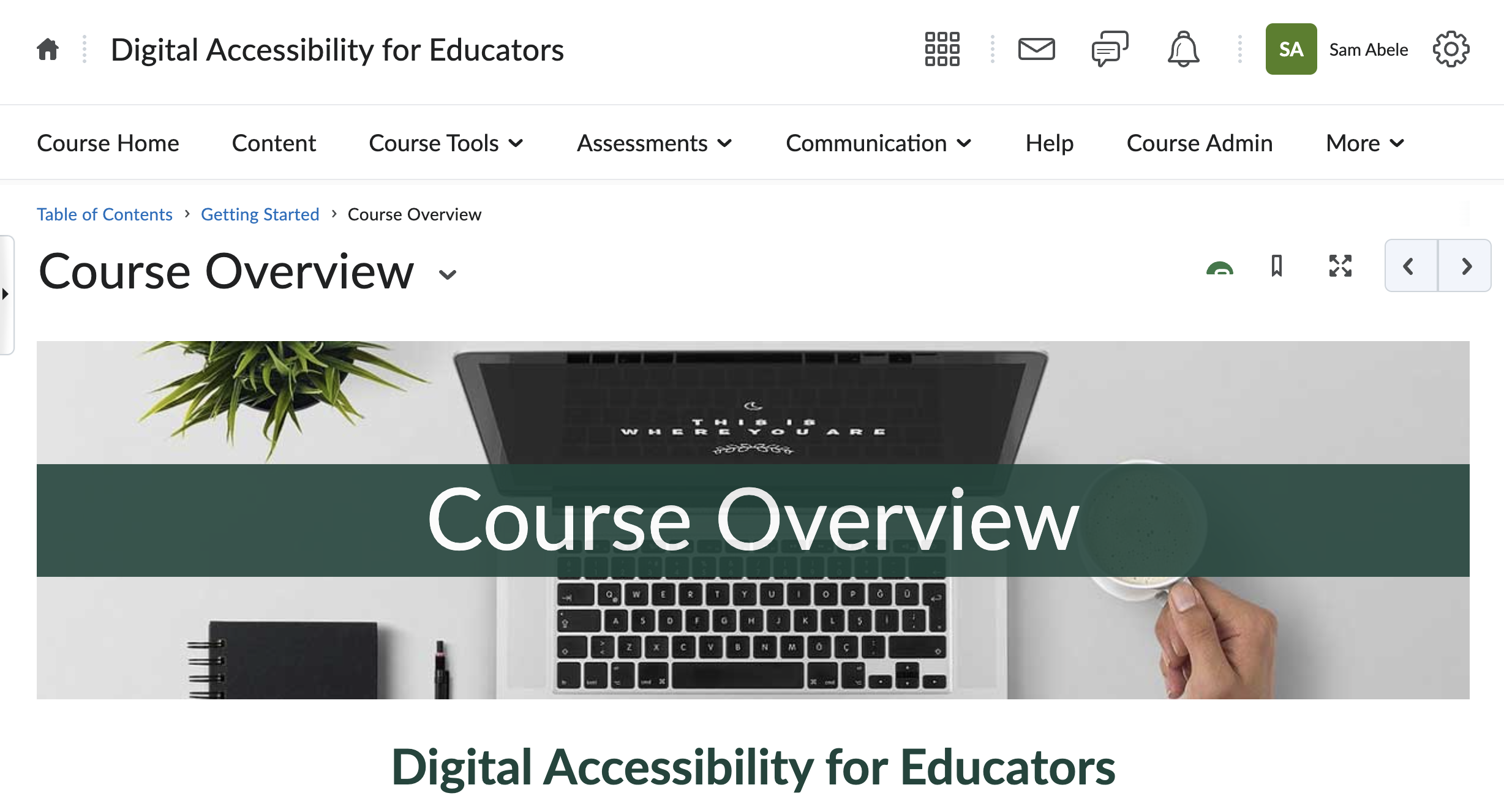
As the April 2026 ADA Title II deadline approached, faculty across Michigan State began expressing concern about what digital accessibility compliance would actually require of them. A faculty member reached out directly to request a resource they could share with colleagues, something practical that would walk instructors through MSU's accessibility policy and the tools available to help them meet it. Beyond that individual request, there was a broader awareness gap. Many faculty didn't know the institution had updated its accessibility policy to require WCAG 2.2 A and AA conformance by January 2026, and even fewer knew where to start. This course was built to close that gap, providing a structured, self-paced path to understanding and applying the accessibility standards that now apply to their course content. Since launching, the course has grown to over 150 enrolled members.
Each of the six modules includes 4-5 objectives built using Bloom's Taxonomy, progressing from foundational recall to hands-on application and creation.
Representative examples include:
The course was designed using a backward design approach. Starting with MSU's Basic Accessibility Checklist, I collaborated with a colleague in a working session using Miro to sort the checklist items into thematic groups, which became the foundation for the six modules. From there, I used Bloom's Taxonomy to write learning objectives for each module, then used those objectives to develop the assessments, and finally used both to determine what content needed to be included. Since faculty had limited time and varying starting points, each module was designed to be approximately one hour, with content chunked into 5-8 short sections per page using headers, lists, and line breaks to make it easy to scan and navigate to the most relevant information.
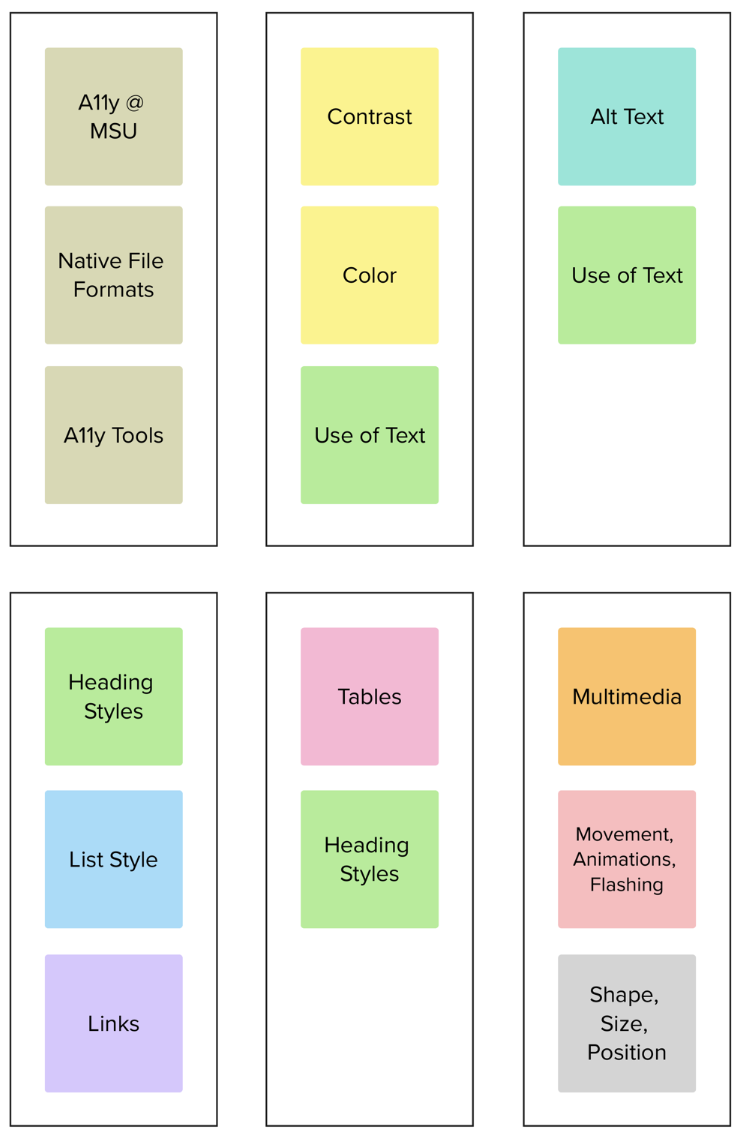
Two frameworks shaped this course directly. Backward design drove the overall structure, starting with the checklist and working backward through objectives, assessments, and content to ensure everything in the course had a clear purpose. Bloom's Taxonomy guided the writing of learning objectives at the module level, deliberately sequenced from foundational recall and recognition in early modules up through application and creation in later ones. This alignment between objectives, assessments, and content was intentional. Learners practice the same skills they are assessed on, not just read about them.
Because this course teaches accessibility, modeling it in the design was non-negotiable. The D2L HTML page templates used throughout the course are built to accessibility standards, with text contrast and heading styles baked in at the template level. Beyond the template, I added descriptive alt text to every image in the course and captioned all Camtasia video demos.
One deliberate choice worth noting, when filming the tool demos, I made a point to verbally announce the names of buttons and interface elements on screen, so that the instructions would be fully understandable to someone who could not see the screen. The course models what it teaches.
The course draws on a curated mix of internal and external resources. I linked to relevant pages from MSU's accessibility website (MSU Web Access) throughout, and included Microsoft Office's accessibility documentation for MS specific tasks. For learners who needed to go beyond document accessibility into web development, the course points to Deque's training rather than trying to cover that scope internally, a deliberate scoping decision to keep the course focused and manageable. I also created a library of original Camtasia video demos and dedicated course pages for specific accessibility checking tools, giving faculty hands-on guidance on the exact tools available to them at MSU.
Two challenges stood out. The first was time. This course was built alongside other active projects, which meant fitting module production into an already full schedule on a recurring monthly release cycle. The second was a design decision I hadn't faced before. How to structure the six modules. Early on I wasn't sure whether to organize content around individual checklist items or around document types. It was genuinely uncertain territory for a first course build.
The module structure question was resolved through a brainstorming session with a colleague. We landed on organizing by checklist item rather than document type because the document type approach would have required repeating core concepts across modules, for example, alt text applies to images regardless of whether they appear in a Word document or a PDF. Grouping by accessibility principle kept the content clean and non-redundant. Looking back, it was the right call. The content question also got easier once I had learning objectives written. Knowing what learners needed to be able to do made it much clearer what content actually needed to be included. For the time management side, I built monthly production reminders into my schedule to keep each module on track and leaned on colleagues for review and content drafting when needed.
To keep the monthly release schedule on track alongside other projects, I built dedicated production time into my calendar with monthly reminders for when each module's content needed to be finalized. I also distributed some of the content development work across a small team, two full-time colleagues helped with brainstorming and content drafting throughout, including one who developed accessibility resources specifically for exam materials and graphs and diagrams. For the final two modules, two student employees contributed ideas and helped draft content. Keeping final design and editorial decisions centralized while sharing drafting responsibilities allowed the project to stay on schedule without sacrificing quality.
The next planned step for this course is a Quality Matters review, which is already part of my professional development goals for 2026. Before that review, I would love to survey enrolled faculty to gather direct feedback on what worked and what could be improved, so that revisions are grounded in learner experience rather than assumption. On the content side, I would expand the video demo library to present more information in multiple formats alongside the text, giving learners additional ways to engage with the material.
This course was one of my most significant instructional design project to date, and it taught me a lot about what it actually takes to plan and execute something at this scale. Starting with clear learning objectives turned out to be as much a project management tool as a design tool. Once I knew what learners needed to be able to do, decisions about content, structure, and assessment became much easier to make. I also grew in my ability to coordinate work across a small team, delegating content drafting to colleagues and student employees while keeping the overall design cohesive. On the technical side, I built real fluency in both D2L course building and Camtasia video production that I will carry into every project going forward.
This embedded video walks through the color contrast checker tool in Microsoft PowerPoint, demonstrating how faculty can use it to identify and resolve accessibility issues in their course materials. This resource was filmed and edited within Camtasia.
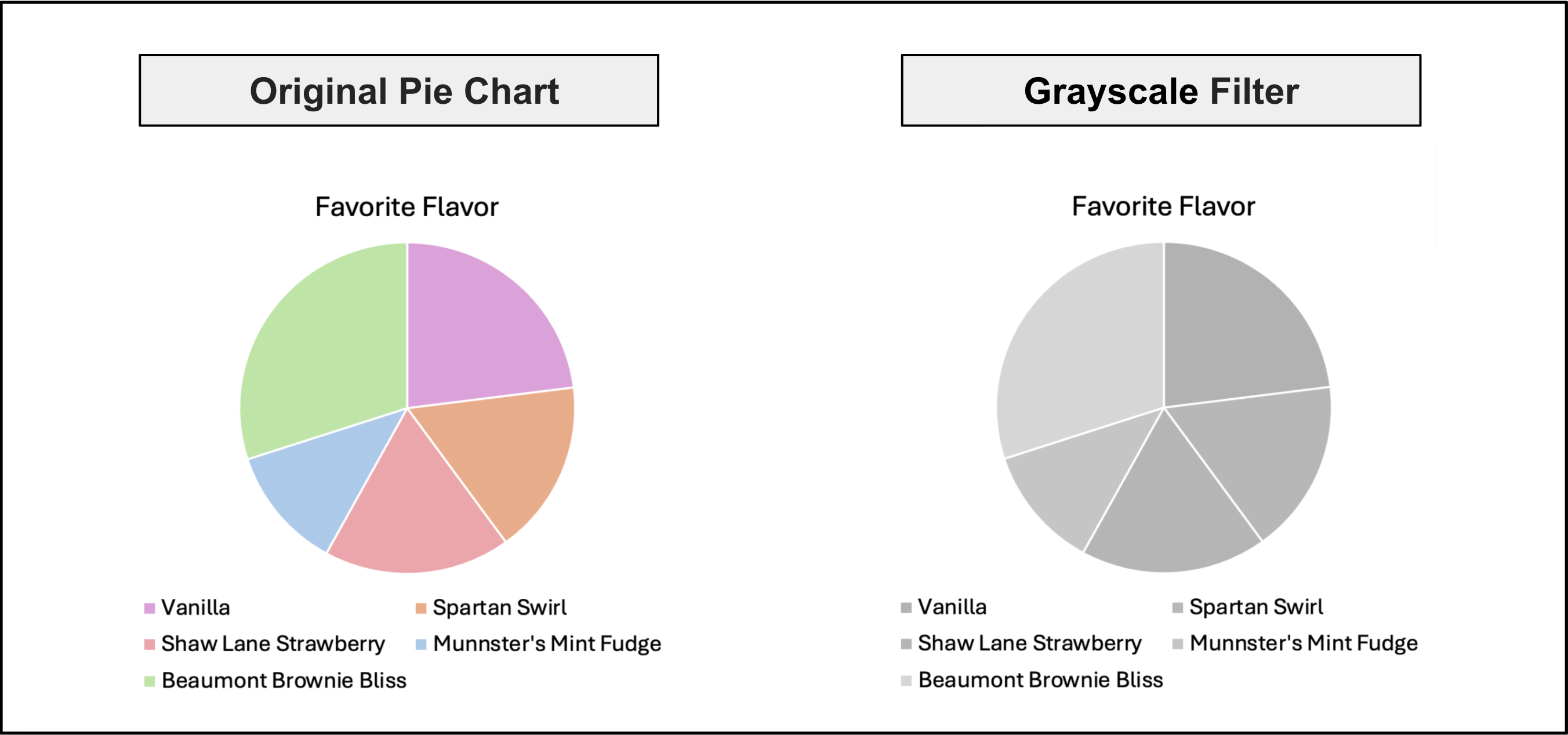
The example above demonstrates a pie chart that relies on color to indicate which ice cream flavors are people's favorite. When a grayscale filter is applied, the color is removed, making it difficult to identify the which flavor goes with each pie slice.
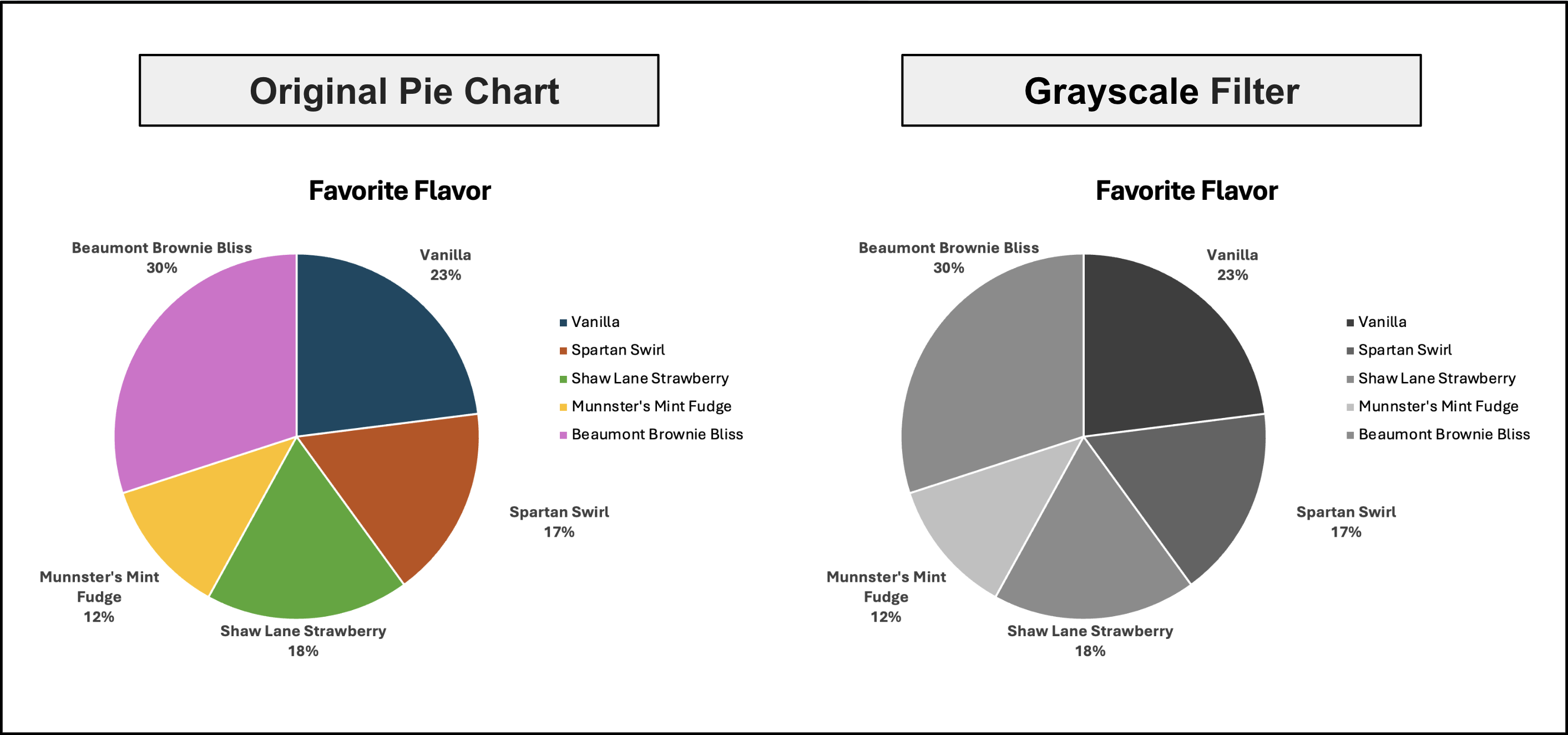
The example above demonstrates a pie chart that uses color and labels to identify the ice cream flavor percentages. By using text labels with the percentages students can still identify which ice cream flavor is the most popular without perceiving the colors. Both images were designed from scratch to give faculty a concrete, realistic example of an accessibility fix they could apply directly to their own course materials.